Case study · Temple · Religious trust
Temple management software for ISKCON Nagarabhavi: counter billing, stock, 80G donation receipts and daily accounts in one system.
Overview
ISKCON Nagarabhavi runs a counter selling books and devotional items, and takes donations that need 80G receipts. We built the temple's internal management system: a touch-screen point of sale, live inventory, donation receipting, expense tracking, pending payments and end-of-day reports — one web app used by temple staff and counter volunteers.
01
The challenge
Counter sales, stock and donations were tracked on paper, so nobody had a live picture of cash, stock or donations at the end of the day. The people at the counter are volunteers of every age, and festival days bring long queues — the system had to need no training and never hold up the line. Every donation receipt also had to carry the trust’s 80G details correctly.
02
Our approach
We built the POS around a tap-to-bill grid of product photos, with cash, UPI or a split of both. Each sale runs in one database transaction that locks the stock rows first, so two counters can never sell the last item twice. Donation receipts are generated as PDFs on the server so they can’t be edited, and nothing is hard-deleted — voids need an admin and a reason. From April to July 2026 we kept extending it, from partial settlement of pending payments to recording which bank account each payment was credited to.
What we built
The pieces that do the work
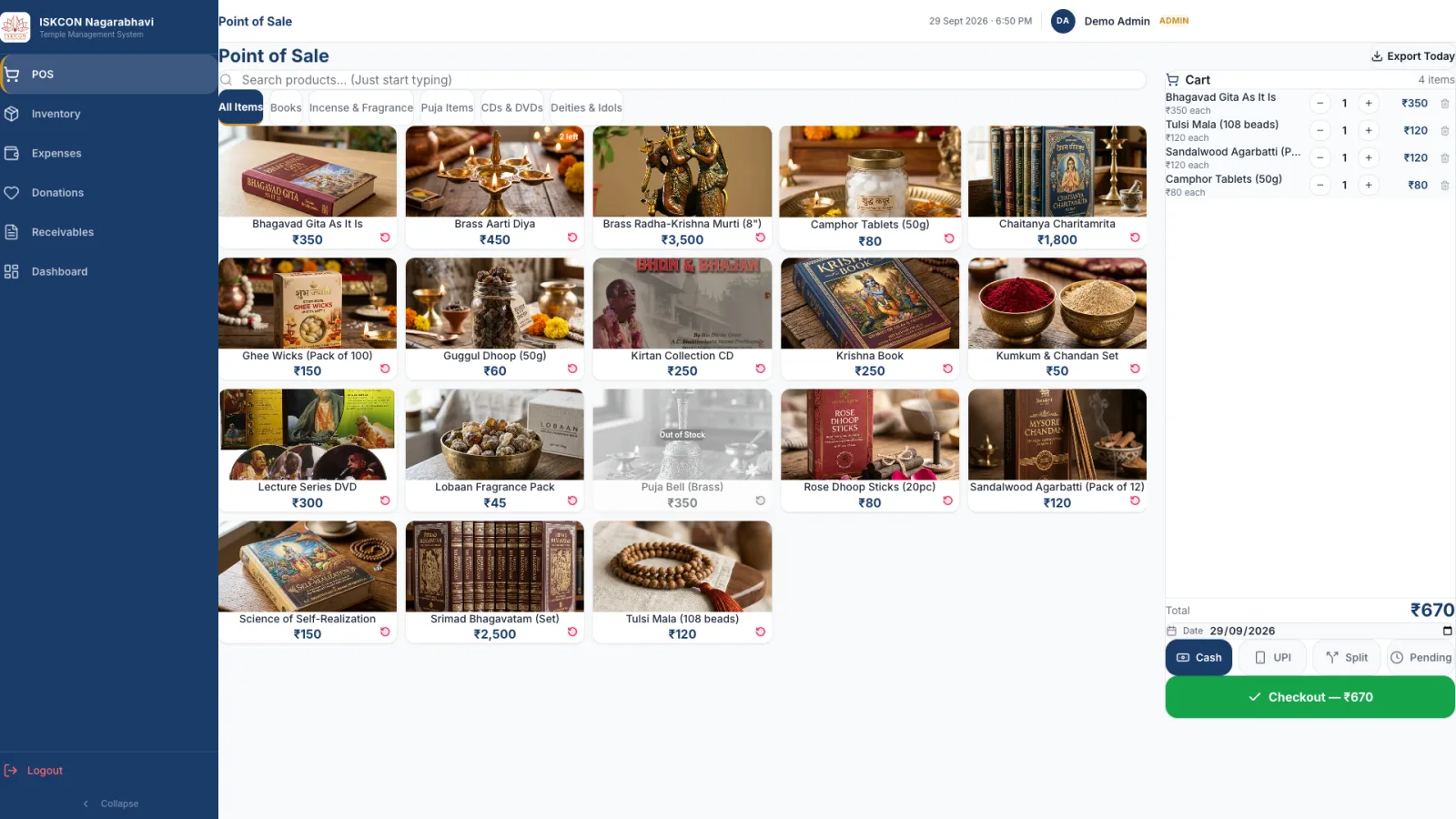
Tap-to-bill counter POS
Staff tap product photos to build a bill, search by keyboard when the queue is long, and take cash, UPI or a split of both. Receipts print sized for a 48 mm thermal printer.
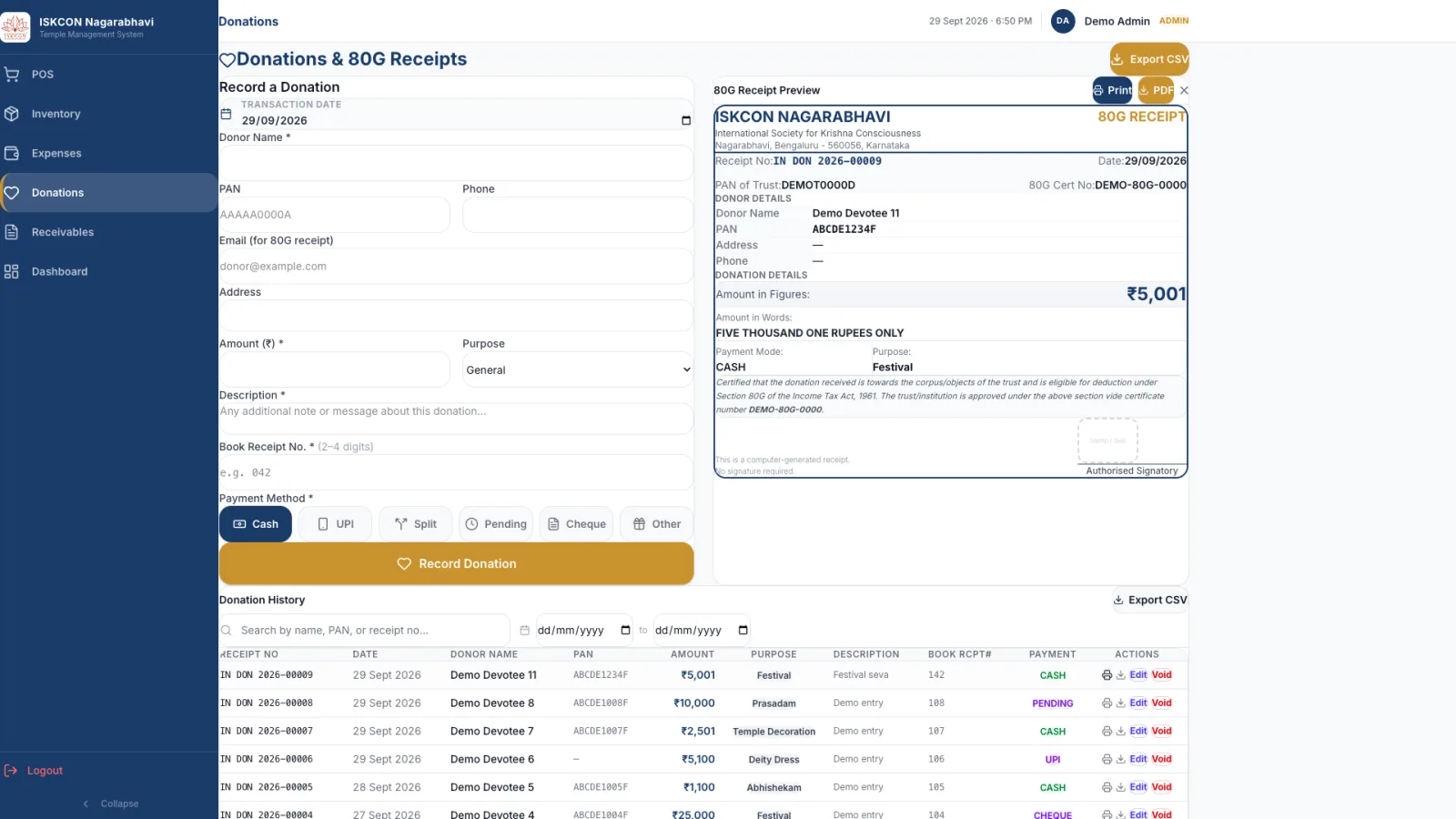
80G donation receipts as PDF
Donor details go in once and the server generates a numbered 80G receipt carrying the trust’s PAN and registration details, ready to print or email to the donor.
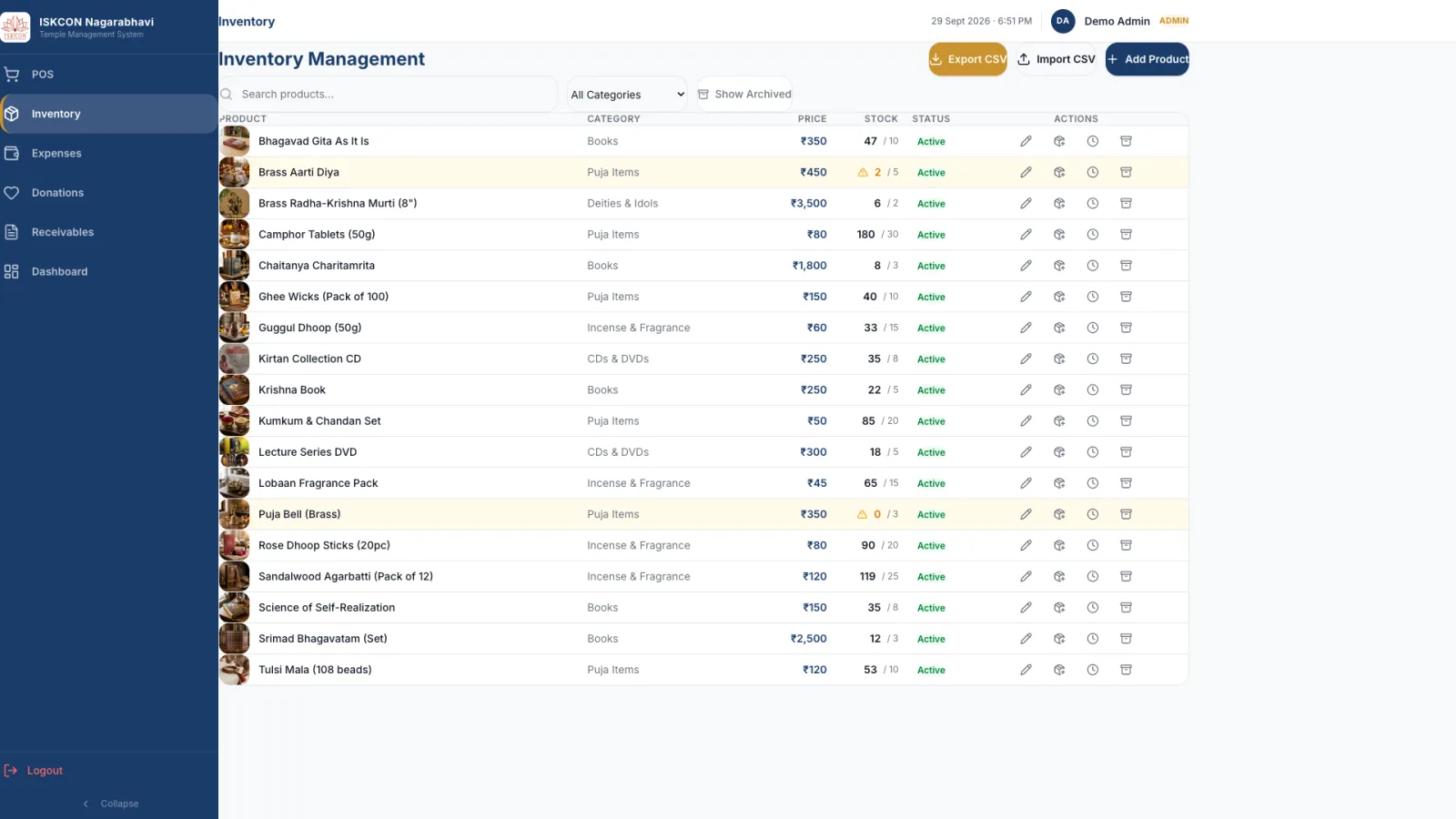
Stock that never goes negative
Sales lock the stock rows they touch inside a single transaction, and every movement — sale, restock, correction or void — is logged with its reason.
- 04
Pending payments, settled in parts
A sale can be recorded as pending and paid off over time in cash or UPI, with the settlement date and an audit log of each payment.
- 05
Expenses with bill photos
Daily expenses are logged by category with vendor, payment method and a photo of the bill, then filtered by date and exported.
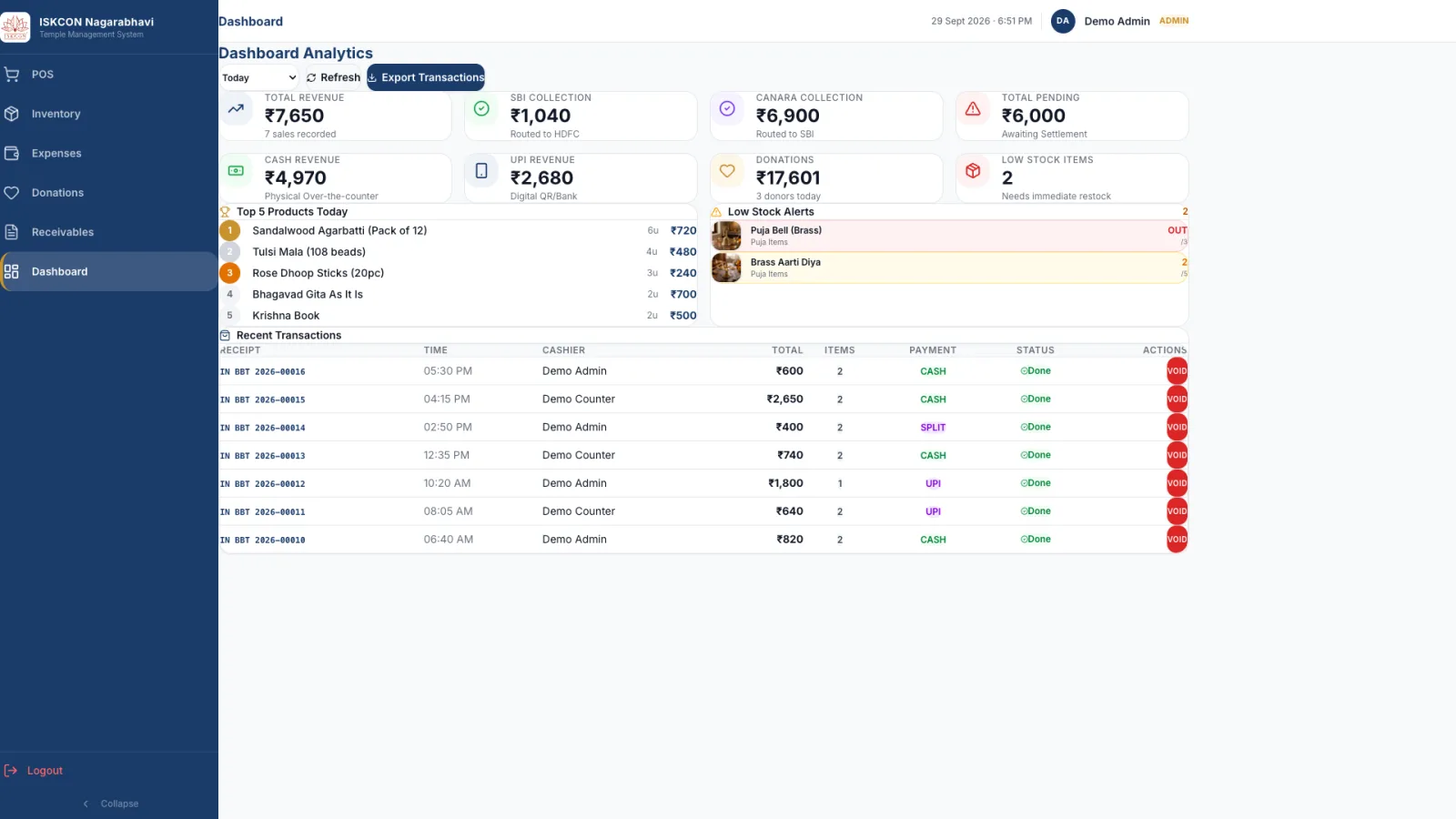
End-of-day reports and exports
An admin dashboard shows the day’s totals and low-stock alerts, and sales, donations, expenses and inventory export to CSV.
FAQ
About the ISKCON Nagarabhavi build
Can the temple management system issue 80G donation receipts?
Yes. Staff enter the donor’s details and the server generates a numbered 80G receipt as a PDF, with the trust’s PAN and 80G registration details printed on it. The receipt can be printed at the counter or emailed to the donor, and because it is generated on the server, it can’t be altered in the browser.
Does it work with a receipt printer at the counter?
Yes. After each sale the POS lays the receipt out for a 48 mm thermal receipt printer and sends it through the browser’s print dialog, so any printer the counter computer can already print to will work. Donation receipts are separate: they are full-page 80G PDFs generated on the server.
Who can cancel a sale or a donation?
Only an admin. Counter staff sign in with their own accounts and can bill, but voiding a sale, donation or expense needs an admin and a written reason. Nothing is deleted from the database — the voided entry stays on record with who cancelled it and why.
Next project · Android app + Web app
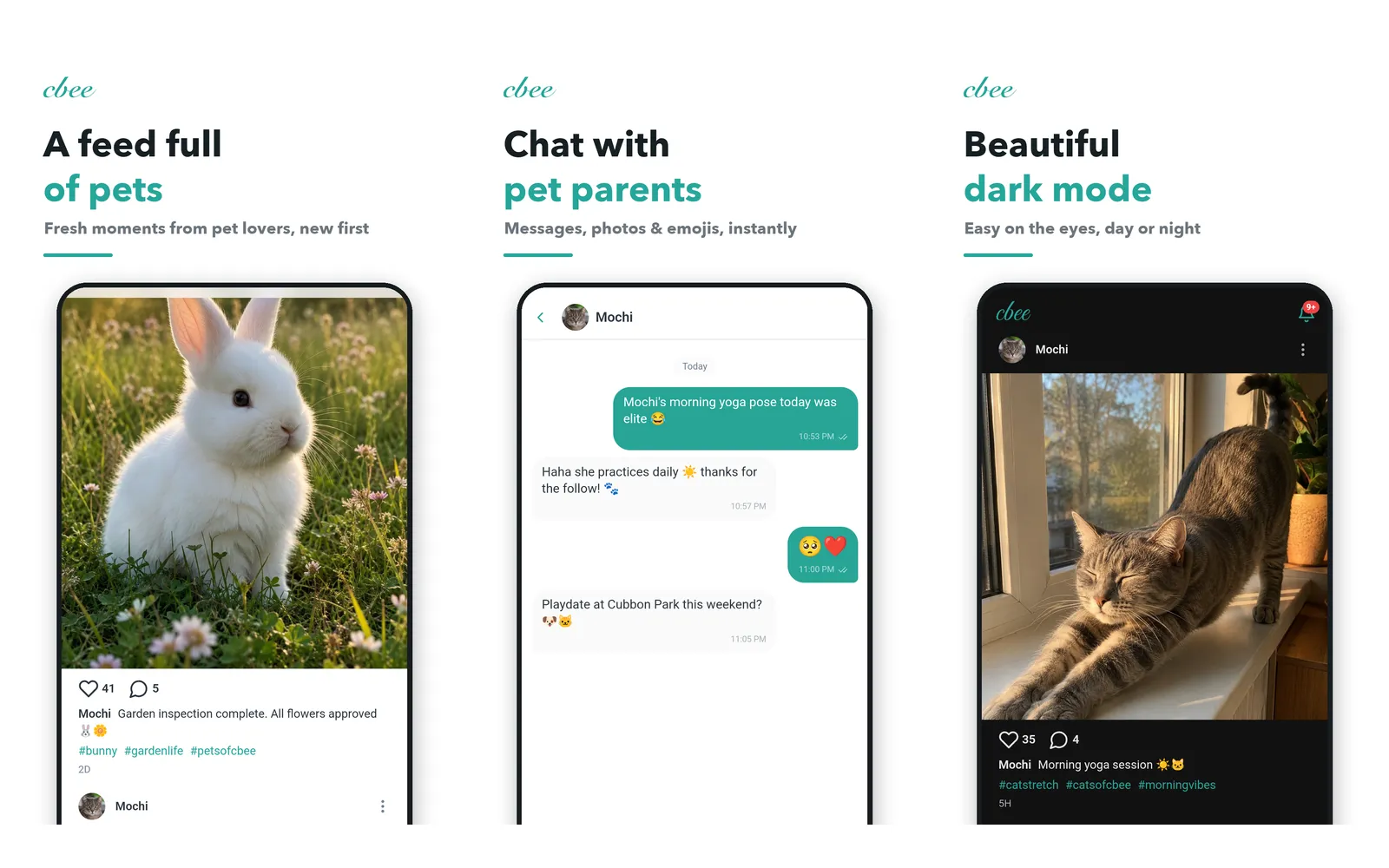
cbee
View the case studyA social app for pet parents — photo posts, Reels and chat — shipped to Android and the web from one React codebase.
Consumer · Pet communityLive
Start a project
Tell us what you’re building. One of the founders — not a sales team — comes back with questions, a plan and a fixed quote.