Short answer Use each for its job. Instagram is for being discovered, but its ranking systems decide who sees your work. A portfolio builder like Pixpa gets a clean gallery online quickly. Your own website is where collectors and curators check what's available, its size and medium, your exhibitions, and how to buy. Most working artists need a site.
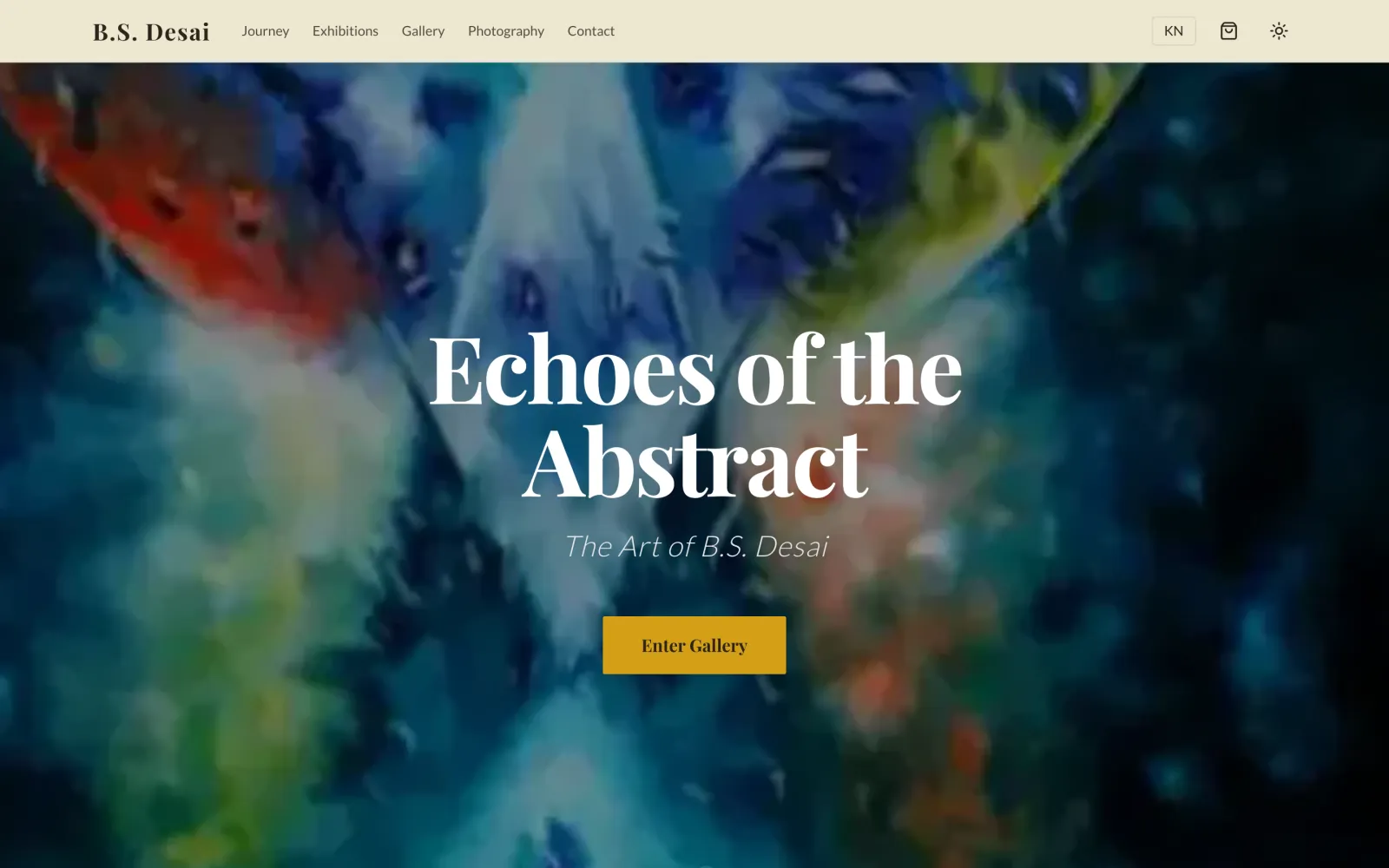
We built the website for the painter and bird photographer B.S. Desai: a bilingual English and Kannada portfolio with a page per painting, an exhibition catalogue you can flip through, and enquiries by WhatsApp. The full write-up is in our BS Desai case study. This post uses what we learned building for artists and galleries to compare the three options artists usually weigh.
What is each option actually good for?
| Portfolio builder (Pixpa and similar) | Your own website | ||
|---|---|---|---|
| Best for | Discovery, process, following | Getting a clean portfolio online fast | Selling, credibility, a permanent record |
| Who controls reach | Instagram's ranking systems | You, plus search engines | You, plus search engines |
| Showing medium, size, availability | Captions only | Yes, within the template | Exactly how you want |
| Enquiries | DMs, easy to lose | Contact form, sometimes a store | Any flow: form, WhatsApp, cart |
| Second language | Captions | Depends on the builder | Full, with separate pages if you want |
| Your own address | instagram.com/you | Your domain on paid plans | Your domain |
| Cost | Free, plus your time | Monthly or yearly subscription | Build cost, then small yearly fees |
| Effort to maintain | Constant posting | Low | Low, if built for easy updates |
None of these replaces the others. The question is which one carries the weight when a serious buyer turns up.
Why isn't Instagram enough for an artist?
Because you don't control who sees your work. Instagram's head, Adam Mosseri, has written that Instagram "doesn't have a singular algorithm" but several ranking systems for Feed, Explore and Reels, and that in Explore, popularity signals carry much more weight than in Feed (Instagram: ranking explained, May 2023). Your followers may or may not see a new painting, and people who don't follow you mostly find posts that are already popular.
There are practical limits too:
- Old work disappears. A painting from three years ago is a long scroll away. Collectors want to see a series together.
- Details don't fit. Medium, dimensions, year, series, availability and price status end up in captions, if at all.
- Enquiries get lost. DMs mix collectors with spam and fans. Nothing tells you which work someone asked about last month.
- Buyers search your name. A curator or collector who hears of you will usually search for you. If the first result is a profile grid, you've lost the chance to present yourself properly.
Keep posting. Put your website in the bio, and treat Instagram as the shop window rather than the shop. If you'd rather hand the posting over, we run Instagram reels and social media management for clients.
When is a portfolio builder the right choice?
When you're starting out, have a modest body of work, and want something clean online this week without hiring anyone. Pixpa's pricing page advertises a 15-day free trial with no credit card, no commission on sales, and discounts for yearly and two-yearly billing. Prices vary by country, so check what it quotes you in rupees.
Before you commit to any builder, check it against your real needs:
- Can you show medium, size, year and availability on every work?
- Can you publish a second language, such as Kannada, on its own pages?
- Can enquiries go to WhatsApp, not only email?
- Can you embed or display an exhibition catalogue?
- Can you use your own domain, and take your content with you if you leave?
If the answers are mostly yes, a builder is a good, cheap choice. If you find yourself fighting the template, that's when a custom site earns its cost.
What should an artist's own website include?
Here's how B.S. Desai's site handles the parts that matter:
- A page for every artwork. Each painting has its own page with title, medium, dimensions, category and the story behind it, plus the full, uncropped image. The gallery can be filtered by category: abstract, landscape, sketch, contemporary.
- A clear status on every work. Each shows a price, "sold", or "Price On Request" with an "Inquire Availability" button instead of a number.
- An enquiry list instead of a checkout. Visitors add works to a list and send it as one pre-filled WhatsApp message with the titles and links. The site states that acquisitions are handled personally over WhatsApp for authentication and shipping. For one-off originals, that's the right call: the artist wants a conversation, not an anonymous card payment.
- English and Kannada. A toggle switches the whole interface, titles and descriptions between the two languages, with a proper Kannada typeface.
- Exhibitions with real catalogues. The exhibitions page shows two of his printed catalogues as page-turning flipbooks, so a visitor sees them as they were printed.
- The rest of the practice. A photography section for his bird photographs, a timeline of his journey, and awards.
The detail pages also suggest similar works from the same collection, which keeps a collector browsing instead of leaving.
Should an artist sell online with a cart and payments?
It depends on what you sell.
Originals: enquiry first. Each is one of a kind, prices are often negotiated, and shipping, framing and insurance need a conversation. An enquiry list to WhatsApp, as on B.S. Desai's site, suits this.
Prints, small works and commissions with fixed prices: a real checkout can make sense, because the buyer knows what they're getting and the price doesn't change. That needs a payment gateway, a returns and shipping policy, and a way to mark items sold.
You can do both: originals on enquiry, prints in a small shop.
How do you make an artist website findable on Google?
Most of it is doing the basics properly, for images especially. Google's image guidelines say to use standard HTML image elements, because "Google doesn't index CSS images", and call alt text "the most important attribute" for describing an image. They also recommend short, descriptive filenames and placing images "near relevant text and on pages that are relevant to the image subject matter" (Google Search Central: image SEO).
For an artist that means:
- One page per work, with a real title, medium, size and a few sentences about it.
- Alt text that describes the painting, not "IMG_4021".
- A series page with an artist's statement, so the paintings sit next to words that explain them.
- Your name, medium and city in page titles.
Languages need one decision up front. Google recommends "using different URLs for each language version of a page rather than using cookies or browser settings to adjust the content language on the page" (Google Search Central). A toggle like the one on B.S. Desai's site is great for visitors who arrive and prefer Kannada. If you want people searching in Kannada to find you, plan separate Kannada pages, linked to their English versions, from the start. That's a trade-off we now raise with every bilingual client.
Artist website checklist
- Your own domain, in your name
- A page per work: title, medium, size, year, series, status
- Full, uncropped images, sized to load quickly on a phone
- A clear enquiry path: WhatsApp, email or form, and one that says which work
- Exhibitions and catalogues
- About, a short CV and awards
- Descriptive alt text and filenames on every image
- A second language on its own pages, if your buyers search in it
- Your Instagram and the website linking to each other
We design and build artist and gallery websites from Chandra Layout, Bengaluru. See our work for artists and galleries, our web design and SEO services, or read what makes a website turn visitors into enquiries.
Sources
- Instagram: Instagram ranking explained (Adam Mosseri, May 2023)
- Pixpa: pricing (checked 29 September 2026)
- Google Search Central: Image SEO best practices
- Google Search Central: Managing multi-regional and multilingual sites