Short answer Parents shortlist a preschool on its website by checking five things: is it safe, which programme fits my child's age, what does the day look like, what does it cost or include, and is the school real. A site that answers those on clear pages, with real photos, an enquiry form and WhatsApp, gets the campus visits.
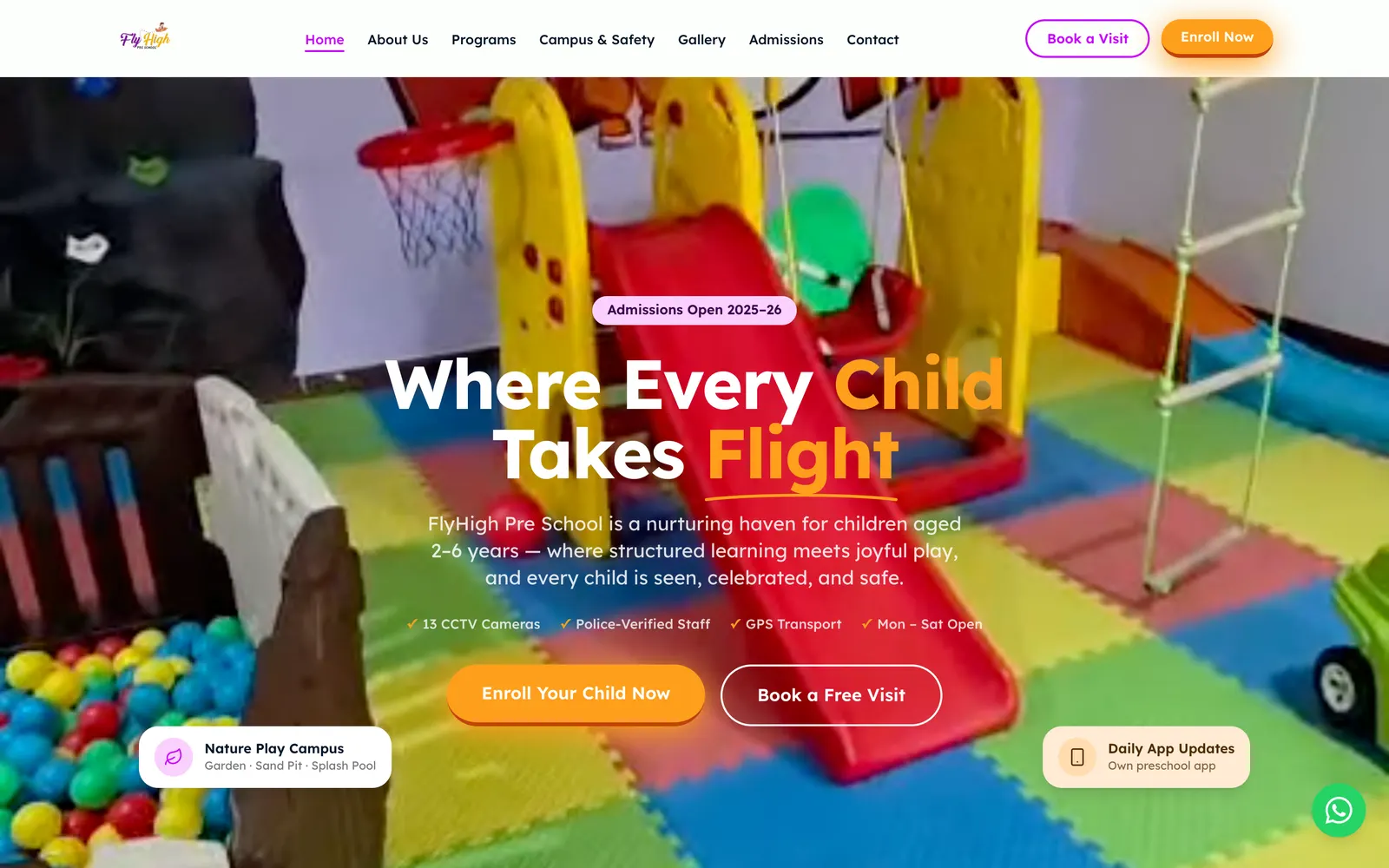
Earlier this year we rebuilt the website for FlyHigh Pre School, a preschool and daycare on Magadi Main Road in Bengaluru. Their old site was a static page set. The new one is a ten-page Next.js site built around the questions parents ask at the gate. This checklist, from our work for preschools and schools, is what we learned doing it. The full build is written up in our FlyHigh Pre School case study.
What do parents check first on a preschool website?
Parents don't read a preschool website top to bottom. They hunt for answers. In our experience building for schools, those answers fall into five groups, and each deserves its own page or section rather than a paragraph on the home page:
- Safety. Who is with my child, and what happens if something goes wrong?
- Fit. Which programme matches my child's age, and what are the timings?
- The day. What will my child actually do between drop-off and pickup?
- Cost. What does the fee cover, and are there hidden charges?
- Proof. Is this a real, well-run school, or a nice template?
Fly High's navigation maps straight onto these: Programs, Campus & Safety, Admissions, Gallery, About and Contact. A parent on a phone can reach any answer in one tap.
What should a preschool admissions page include?
The admissions page does the most work, so it carries the most detail. Fly High's admissions page includes:
- Age criteria per programme, with the date age is measured on ("as of June 1st of admission year"). Playgroup 2–3, Nursery 3–4, LKG 4–5, UKG 5–6.
- A four-step process: enquiry, campus visit, application, enrolment confirmed. Each step says what happens and when. Admissions run December to June; campus visits are welcome on school days after 2 pm.
- Documents required: the child's birth certificate, Aadhaar if available (marked not mandatory), passport photos of the child and parents.
- What the fee includes: school bag, curriculum books and uniform, with no admission fee.
- Frequently asked questions, answered on the page.
The documents list is small but it earns its place. A parent who arrives with the right papers converts a visit into an admission the same day.
Should a preschool publish its fees online?
This is the question schools argue about most. Fly High chose a middle path. The fee section lists what every programme includes and the one thing it doesn't charge (an admission fee), then says the full fee sheet is shared during the campus visit. Each programme card has an "Ask about fees" link to the contact form.
That works because the parent's real fear is a surprise, not the number itself. If you do publish figures, keep them current every academic year. An outdated fee on your website does more damage than none.
How should a preschool show safety online?
"Safe and secure campus" tells a parent nothing. Specifics do. Fly High's Campus & Safety page names six measures, each with a real photo: CCTV coverage (with the camera count), police verification for every teacher, helper and driver, a first-aid room, GPS-tracked transport with an attendant, daily sanitisation, and child-safe furniture and staircase gates.
It also covers how parents stay informed: daily activity photos, arrival and departure alerts, WhatsApp access to the class teacher and quarterly parent-teacher meetings.
One detail we'd copy for any school: the page answers the awkward question honestly. "Can parents view CCTV footage?" gets a straight answer. Footage is monitored by school staff, isn't streamed to parents, and can be reviewed by management if there's a concern. Parents trust a school that answers the hard question more than one that avoids it.
Why do real photos matter more than stock images?
Parents can tell stock photos apart from a real school. During the build we took the stock images out and used the school's own photos of classrooms, annual day, sports day and everyday activities. The gallery is filterable by category and opens photos in a lightbox. The home page has a "Kids in Action" section and a safety summary, not generic smiling children.
Photos of children bring a legal duty with them, which is the next item on the list.
What legal pages does a preschool website need in India?
At least three: a privacy policy, a child-protection policy and terms of use. Fly High's privacy policy is written against India's Digital Personal Data Protection Act, 2023. Its child-protection policy includes a photo and media section: no child is photographed, filmed or shown without prior written consent from a parent, and consent can be withdrawn.
This matters more now. The government notified the DPDP Rules on 14 November 2025, with an 18-month phased timeline. The PIB summary says verifiable consent from a parent or guardian is required when a child's personal data is involved, with exemptions for essential services such as education or real-time safety. Your enquiry form also collects parents' names and phone numbers, so the privacy page should say what you do with them.
We're a web studio, not a law firm. Have a lawyer check the wording. But the pages, the consent process and the gallery rules should exist on day one.
What makes a preschool enquiry form work?
A short form that asks only what the admissions team needs to call back. Fly High's contact page asks for parent name, phone, email, the child's age, the programme of interest and an optional message. The programme dropdown includes "Not sure yet", because many parents aren't, and a form that forces a guess loses them.
Next to the form: phone numbers, the full address, school hours and a map. A floating WhatsApp button opens a chat with a pre-filled first line, so the parent only has to press send.
The form is only half of it. Fly High's admissions page promises a reply within 24 hours. Whatever you promise, keep it. We cover forms and follow-up in more depth in what makes a small-business website turn visitors into enquiries.
Does a preschool website need SEO and schema markup?
It needs the basics done properly. On Fly High that means a unique title, description and canonical URL on every page, a sitemap and robots file, and structured data that describes the school: its type, address, map coordinates, opening hours and each programme as a course. The admissions and safety FAQs are real content on the page.
Two cautions. First, Google's own guide to AI search says "structured data isn't required for generative AI search, and there's no special schema.org markup you need to add" (Google Search Central). Second, FAQ rich results stopped appearing in Google Search on 7 May 2026 (Google's documentation updates). If someone sells you schema as a ranking trick, walk away.
What moves local results is a complete Google Business Profile that matches your website. Google's guidelines say your business name should reflect "your business's real-world name, as used consistently on your storefront, website, stationery, and as known to customers" (Google Business Profile guidelines). Same name, address, phone and hours everywhere. Our SEO service starts there.
The preschool website checklist
| Page or section | What it must answer | How Fly High does it |
|---|---|---|
| Home | Who you are, where, for which ages | Hero video, programme overview, safety summary, real activity photos |
| Programmes | Which programme fits my child, and the timings | Playgroup, Nursery, LKG, UKG with age range and daily timings |
| Admissions | How to apply, when, with what | Age cut-off date, four steps, admission window, documents list |
| Fees | What's included, any hidden charges | Inclusions listed, no admission fee, full sheet at the visit |
| Campus & safety | Who is with my child, what if something goes wrong | Six named measures with photos, honest CCTV answer |
| Gallery | Is this a real school | Own photos only, filterable, lightbox |
| About | Who runs it and who teaches | Founding story, teacher profiles, curriculum partner |
| Contact | How do I reach you right now | Short form, phone, WhatsApp, address, hours, map |
| Legal | What happens to my data and my child's photos | Privacy policy, child-protection policy, terms |
| Behind the scenes | Can Google and parents find it | Per-page metadata, sitemap, structured data, analytics |
Where to start
If your school's website misses more than two rows of that table, start with the admissions and safety pages. They answer the questions parents ask first. If you're weighing the budget, read our guide to preschool website cost in India.
We design and build school websites from Chandra Layout, Bengaluru. See what we do for preschools and schools, or how we approach web design and web development.
Sources
- FlyHigh Pre School: Admissions, Campus & Safety, Contact
- Press Information Bureau: DPDP Rules, 2025 notified (17 November 2025)
- Google Search Central: Optimizing for generative AI search (updated July 2026)
- Google Search Central: Documentation updates (FAQ rich results, May and June 2026)
- Google Business Profile: Guidelines for representing your business